A UK VAT number is a unique identifier issued by HM Revenue and Customs (HMRC) to a VAT-registered business. It confirms that a business can charge VAT and reclaim VAT on eligible purchases, and it differs from a company registration number.
This guide explains where to find a VAT number, how UK VAT numbers are structured, and when you need to request one on an invoice. It also covers how to check validity using official checks, what a failed check can mean, and what records to keep for compliance.
Key takeaways
- A UK VAT number identifies a VAT-registered business for charging and reclaiming VAT.
- UK VAT numbers use the GB prefix and nine digits; some add three extra digits.
- Check a VAT number’s validity using HMRC’s online VAT number checker.
- Match the checker’s returned business name and address against the invoice details.
- For EU suppliers, validate VAT numbers through the VIES service before zero-rating.
- Keep evidence of checks, including date, result, and invoice reference, for records.
When a UK business needs a VAT number (registration thresholds and common triggers)
Review your last 12 months of taxable turnover now and set a monthly reminder. VAT registration can become compulsory as soon as turnover crosses the legal threshold, and late registration can trigger backdated VAT and penalties.
In the UK, you must register for VAT if your VAT taxable turnover exceeds the registration threshold in any rolling 12-month period, or if you expect to exceed it in the next 30 days alone. HMRC sets and updates the threshold, so confirm the current figure on GOV.UK (VAT registration).
VAT taxable turnover includes standard-rated, reduced-rated, and zero-rated supplies, but excludes VAT-exempt income. The rolling 12-month test is not tied to your financial year, so a strong quarter can push you over even if annual accounts look stable.
Registration can also apply with low UK sales. Non-UK businesses making taxable supplies in the UK may need to register, and a shift from exempt to taxable sales can bring VAT into scope quickly.
Once registered, you must charge VAT where applicable, keep VAT records, and submit VAT Returns, often through Making Tax Digital for VAT. Voluntary registration lets you reclaim input VAT on eligible costs, but you take on the same reporting duties.
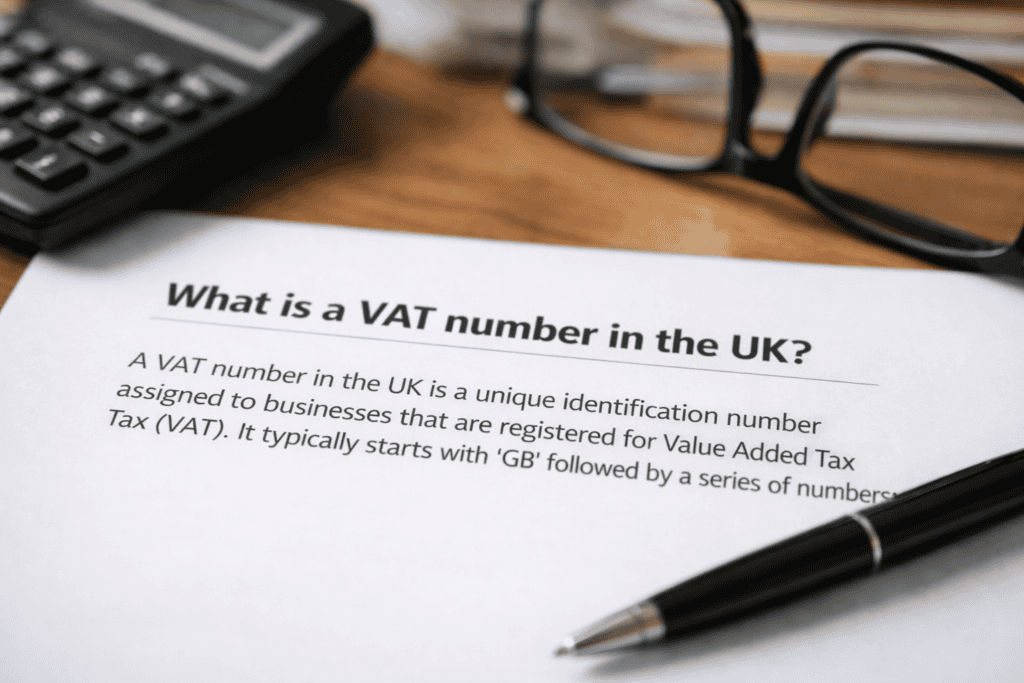
UK VAT number format and where it appears on invoices and company records
Misreading a VAT number on an invoice can delay supplier onboarding, block expense claims, or trigger extra checks during audits. Avoid that by confirming the number format, then matching it to the supplier’s legal details in official records.
Check the structure first. A UK VAT registration number usually starts with GB plus 9 digits (for example, GB123456789). Some organisations use a 12-digit version (9 digits plus a 3-digit branch identifier) or special prefixes used by certain public bodies.
On VAT invoices, the supplier’s VAT number typically sits in the header or footer near the company name, registered address, and invoice number. Supplier websites and onboarding forms can help, but treat them as secondary sources.
Validate the number using HMRC’s Check a UK VAT number. For cross-border checks, use the EU’s VIES VAT number validation service.
- Match the checker result to the supplier’s trading name and address, not only the digits.
- Save a dated screenshot or PDF of the result.
- If a supplier uses a branch ID, validate the core 9-digit number and record the branch suffix separately.
How to check a UK VAT number is valid using HMRC and VIES
Do not rely on a VAT number “looking right” on an invoice. A correct-looking format can still be invalid, cancelled, or linked to a different legal entity.
Start with HMRC’s online checker for UK numbers. Enter the VAT registration number exactly as shown, including the GB prefix if it appears on the document, then run the check on GOV.UK (Check a UK VAT number). The service returns a validity result and, where available, the registered business name and address.
For cross-border checks, use the EU’s VIES VAT number validation. Select the member state and enter the VAT number in that country’s format. VIES validates numbers held by EU tax authorities and can confirm whether a number is active for intra-EU transactions.
Technical detail matters: match the checker output to the supplier’s legal name and address on contracts, onboarding forms, or Companies House records. If HMRC shows “invalid” or the details do not match, treat the invoice as non-compliant until the supplier provides corrected registration details or evidence of VAT status.
What to do if a VAT number fails validation (common causes and next steps)
A failed VAT validation means you should not treat the VAT as recoverable until you confirm the supplier’s registration details.
Ask the supplier for a corrected VAT number and the exact legal name and address linked to the registration. Re-run the check in HMRC’s VAT number checker for UK numbers, and use VIES for EU VAT numbers. If the number validates but the business details do not match, request evidence such as a VAT registration certificate or a recent VAT invoice showing the same legal entity details.
If the supplier claims the number is valid but the checker still fails, confirm you entered it exactly (no spaces, no extra characters, correct country prefix). Check for common issues: transposed digits, using a company number instead of a VAT number, a recently registered number not yet showing, or a cancelled registration. Record the date, result, and any reference number from the checker for your audit trail.
How to record and store VAT validation evidence for compliance and audits
Good record-keeping turns a VAT check into audit-ready evidence, so input VAT claims and zero-rated treatment stand up under HMRC review. Save a dated copy of each validation result from HMRC’s VAT number checker or the EU VIES service, and file it with the supplier invoice and onboarding details.
Keep the VAT number, legal name, and address as validated, plus the check date, source used, and any reference returned. If supplier details change, re-validate and keep old and new evidence with effective dates.
Use a retention period that matches your tax record policy, and make evidence searchable by supplier, VAT number, and invoice date to speed up reviews and audits.
Frequently Asked Questions
What does a UK VAT number look like and what does each part mean?
A UK VAT number usually starts with “GB” followed by 9 digits (for example, GB123456789). The “GB” prefix shows the country code for the United Kingdom. The 9 digits identify the business for VAT purposes; some numbers add 3 extra digits to show a branch or VAT group member.
When does a UK business need to register for VAT and get a VAT number?
VAT registration depends on taxable turnover, not profit. A UK business must register when VAT-taxable turnover exceeds the registration threshold in any rolling 12-month period, or when it expects to exceed the threshold in the next 30 days alone. Some businesses register voluntarily to reclaim VAT on costs.
How can you check whether a UK VAT number is valid using HMRC tools?
Use HMRC’s online VAT number checker and enter the GB number exactly as shown. HMRC confirms whether the number is valid and returns the registered business name and address. Match those details to the invoice or supplier record to spot errors or fraud.
Can you verify a UK VAT number for an EU supplier using the VIES system?
VIES only verifies EU VAT numbers, not UK VAT numbers. You can use VIES to check an EU supplier’s VAT number, but it will not confirm a UK VAT number. For a UK number, use HMRC’s VAT number checking service instead.
What should you do if a VAT number fails validation or the business details do not match?
A failed VAT check can mean a typo, an inactive registration, or a number that does not belong to that business. Recheck the digits and the “GB” prefix, then validate again. If details still do not match, ask the supplier for written confirmation and a corrected VAT invoice, and pause VAT recovery until resolved.